
Enterprise SSO (SAML & OIDC)
Configure SAML 2.0 and OIDC in Admin, Enterprise plan requirements, and how SSO relates to workspace vault access.
On this page
Overview
Connect InviziPoll to your identity provider so workspace members sign in with the credentials they already have - without weakening the zero-knowledge guarantee.
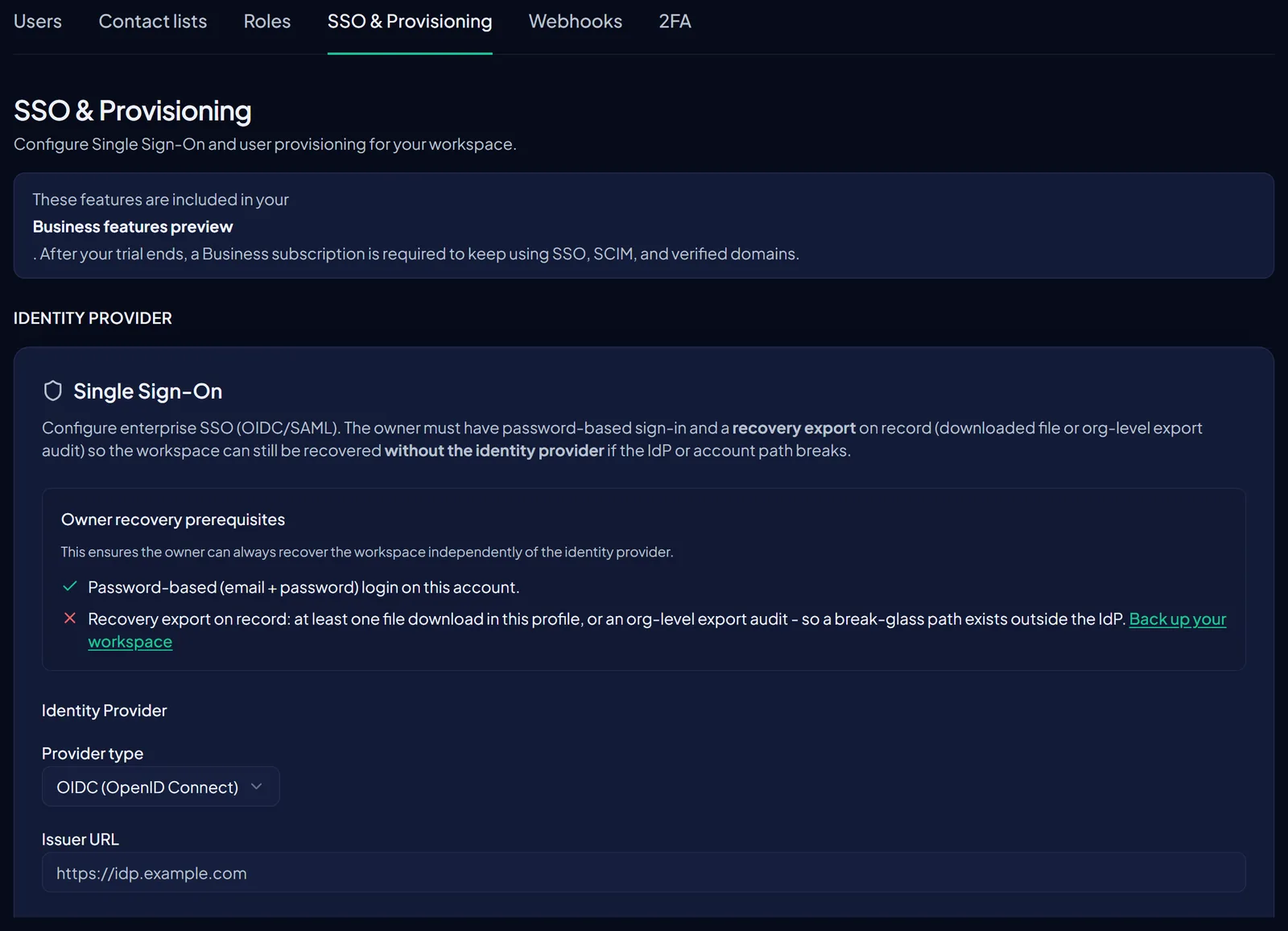
InviziPoll supports both SAML 2.0 and OpenID Connect. Either protocol authenticates the human; neither decrypts workspace data. After SSO completes, members still unlock the vault with a passkey, device handoff, or Emergency Recovery Key.
Heads up
SSO settings live under Admin → SSO & Provisioning. Only members with the workspace owner role can read or change them by default. If your org uses custom roles, see Roles and permissions (RBAC).
Prerequisites
- An Enterprise plan (SSO is gated below that tier).
- A verified custom domain - see Domain verification (DNS TXT).
- Admin access to your IdP (Okta, Entra ID, Google Workspace, JumpCloud, etc.).
Configuration
Pick the protocol that matches your IdP. SAML is a good fit if you already federate other apps; OIDC is often faster to wire up when InviziPoll is a smaller part of your stack. Use Admin → SSO & Provisioning in the app to configure either path.
SAML 2.0 setup
- Create a SAML application in your IdPUse the ACS URL and Entity ID shown in
Admin→SSO & Provisioning→SAML.- Upload IdP metadataPaste the metadata URL or upload the XML. InviziPoll auto-extracts the X.509 certificate and SSO endpoint.
- Map attributesRequired:
name. Optional:groups(for role mapping).- Test from the verifierThe verifier signs in as you, then immediately signs back out - it never touches encrypted vault data.
OIDC setup
Register a confidential client in your IdP and copy the values into Admin → SSO & Provisioning → OIDC.
# Example OIDC client fields (read-only where shown in-app; values are illustrative)
issuer: "https://login.example.com/"
client_id: "cpoll-prod-7e1c"
redirect_uri: "https://invizipoll.com/api/auth/sso/callback"
scopes: ["openid", "email", "profile", "groups"]
jwks_uri: "https://login.example.com/.well-known/jwks.json"
Enterprise requirement
Plan-gated feature
SSO configuration requires an Enterprise plan. Workspaces on lower tiers will see the SSO area but be prompted to upgrade before any settings can be saved.
If you are evaluating InviziPoll for an enterprise rollout, contact sales@invizipoll.com for a 30-day Enterprise trial that includes SSO and SCIM.
Post-login vault access
SSO proves identity. Vault unlock proves possession of a key. These are deliberately separated so that an IdP compromise cannot decrypt workspace data.
Why this matters
Even if an attacker fully controls your IdP, they can only impersonate a logged-in user. Without the user’s passkey-PRF, device handoff, or Emergency Recovery Key, encrypted polls remain unreadable.
After SSO, members complete vault unlock with one of:
- Passkey-PRF - Derives a per-device unlock key from a WebAuthn PRF extension (recommended where supported).
- Device handoff - An already-unlocked device can transfer the unwrapped key to a new device.
- Emergency Recovery Key - Offline recovery material from your Emergency Kit; see Recovery, emergency kit, and device handoff.
Service Provider metadata export and SAML XML ingestion are available in the same Admin → SSO & Provisioning area.