
Roles and permissions
Heads up: Administration (invites, billing, SSO) and folder access (who can work on which polls) are separate ideas . The Admin → Users and Admin →…
Heads up: Administration (invites, billing, SSO) and folder access (who can work on which polls) are separate ideas. The Admin → Users and Admin → Roles areas cover workspace roles; shared folders still gate who can use specific polls.
InviziPoll uses role-based access control for workspace administration. Folder access controls who can work with polls in shared folders. Workspace roles control administration: settings, invites, billing, and similar, separate from folder membership.
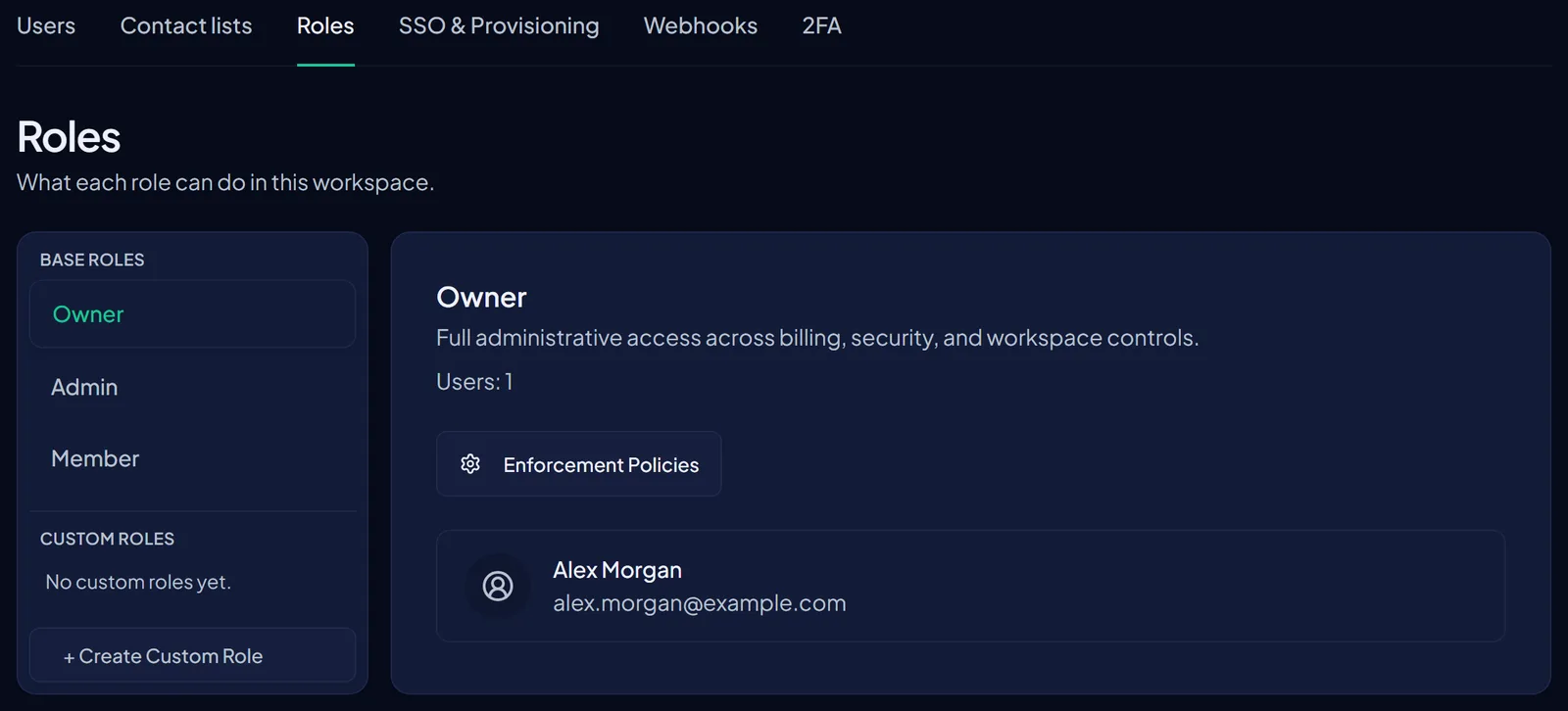
Base roles
- Owner: Billing, workspace settings, destructive workspace actions, changing member roles, and enterprise configuration (SSO, verified domains, SCIM) where your plan allows.
- Admin: Invite and manage members subject to seat limits, when your role includes those permissions. Owners can always manage roles, billing, and enterprise configuration. If an action isn’t available, the UI hides the control. Ask an owner when you need a change you can’t make yourself.
- Member: Participate in polls and shared folders you’ve been given access to. Cannot invite people or change workspace-wide settings.
Where to manage roles
In the admin console, open Admin in the left sidebar (shield icon). That section opens on the Users tab by default. Along the top you’ll see tabs:
- Users - members, invitations, and seat usage. Owners and eligible admins change a member’s role from row actions.
- Roles - base roles (Owner / Admin / Member), custom roles, and permission toggles such as Invite Users, Remove Users, and Change Roles. Use Enforcement policies on a role when the UI offers it.
You can also reach the same Users starting point from Settings → Team in the sidebar (the hub describes members, roles, SSO, and 2FA policy).
Enterprise features
SSO, verified domains, SCIM directory sync, and related compliance-oriented features require an Enterprise plan with compliance features enabled. Configuration lives primarily under Admin → SSO & Provisioning (and related Enterprise controls). Other tiers may see those areas with an upgrade path.