
Recovery, emergency kit, and device handoff
Heads up: SSO (Enterprise) may require an Emergency Kit first. Ongoing key backup and device handoff live under Settings → Backup & Recovery . Emergency…
Heads up: SSO (Enterprise) may require an Emergency Kit first. Ongoing key backup and device handoff live under Settings → Backup & Recovery.
Emergency recovery kit
Before you can turn on Enterprise SSO, InviziPoll requires an Emergency Kit-an offline Recovery Key you generate and confirm in the browser. InviziPoll may store encrypted recovery material you create, but the raw key is yours to keep safe.
Downloadable emergency kit files are a last-resort path if you lose other recovery options.
Device handoff
When a new admin device needs access to workspace keys, an already-trusted device can approve an encrypted handoff so the new device can unlock workspace data. InviziPoll relays encrypted material only. You approve the transfer in the UI.
You’ll see device approval or handoff prompts when this applies.
Backup & recovery page
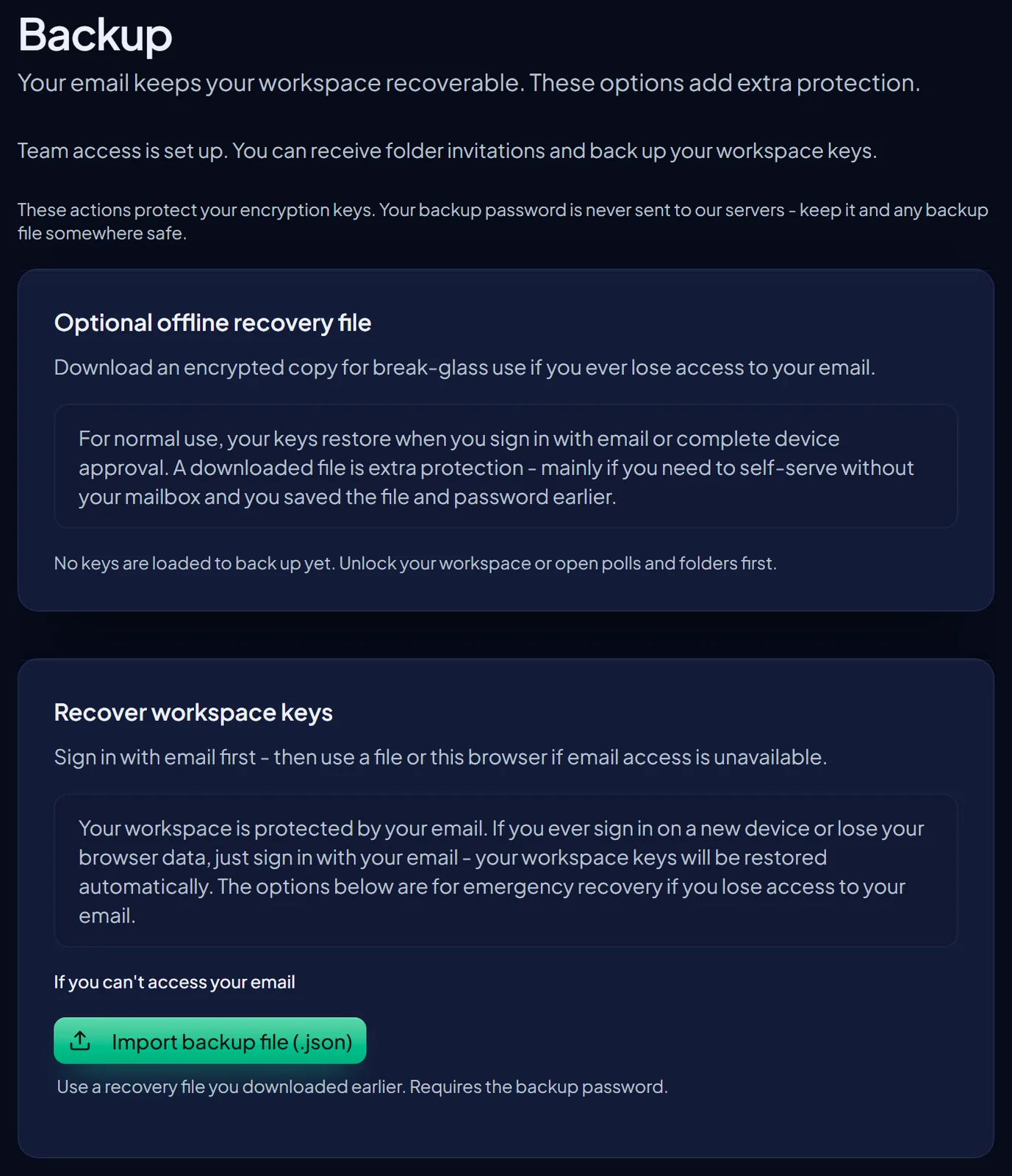
Open Settings → Backup & Recovery from the Settings hub. There you can download a workspace recovery file, work through backup and restore steps for workspace keys, and follow handoff or device approval prompts when the flow offers them.
Downloaded workspace recovery file
New downloads include workspace name and timestamp on the outside, an integrity check before password entry, and an inner password-protected backup.
InviziPoll does not keep a copy of the file you download. Checks run on your device before restore.
Import warns on wrong workspace (you can continue if intentional). A failed integrity check means corruption, not a wrong password. Older backup files without the newer outer wrapper may still import.
Password managers
The backup flow supports copy-to-clipboard steps that work well with password managers. Unlock workspace lets you paste backup text or upload a file, depending on what you have.
Local reminders only
If you see a “last downloaded” hint, treat it as a reminder on this browser, not proof InviziPoll stored your file. “Saved in this browser” means on your device, not a cloud backup from us.
Restore paths
You can restore using keys already on this browser, a downloaded recovery file (with your backup password), emergency kit material, or an approved device handoff. If keys are missing, follow the Unlock workspace link from the in-app banner or sign-in prompts.
Enterprise note
Publishing some shared-folder polls may require a current backup so folder keys stay available. Follow in-app messages if they appear.
SSO note
If you use Enterprise SSO, complete Emergency Kit under Admin → SSO & Provisioning before you activate SSO-the product enforces that order.
Your passkeys, personal two-factor authentication, trusted devices, and personal session lockout are under My Account → Security. Workspace-wide 2FA expectations for the team are under Admin → 2FA. Backup & Recovery under Settings is separate from both.