
Duplicating polls and poll list management
Duplicating a poll You can duplicate any poll you have access to, creating a new editable draft pre-filled with the original poll's questions, settings,…
Heads up: Duplicate creates a new draft with fresh question IDs and new keys at publish time. Responses, access codes, and PINs do not copy over.
Duplicating a poll
You can duplicate any poll you have access to, creating a new editable draft pre-filled with the original poll's questions, settings, and branching rules. This is useful for running recurring surveys, iterating on a poll design, or creating variations for different audiences.
How it works
Click Duplicate from the poll list card or from a poll's detail page. This opens the poll creation wizard pre-filled with the source poll's definition. The wizard skips the template selection step and lands directly on the questions.
A few things happen automatically during duplication: new question IDs, remapped branching rules, a “(copy)” title suffix, empty password/PIN fields, and a fresh keypair generated at publish (no keys are copied).
The wizard applies the same create flow as a new poll: it loads the source definition into authoring state, then you save and publish as usual. Each duplicate has its own identity, keys, and response storage.
What is not duplicated
Recipient lists, access codes, response data, encryption keys, and poll passwords or PINs are not copied. A new keypair is generated on publish.
Poll list
Status filters
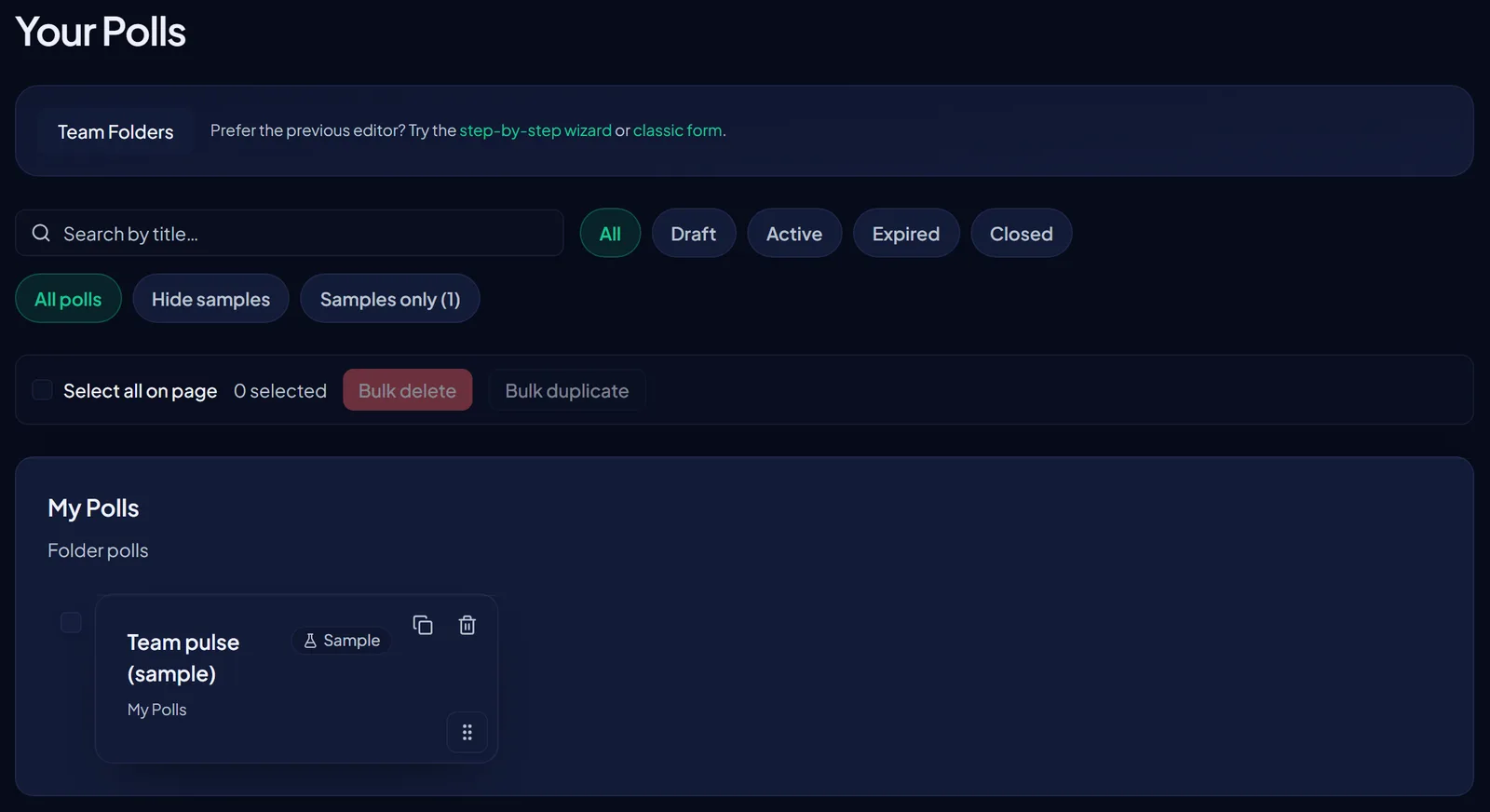
The poll list has a status filter at the top: All, Draft, Active, Expired, or Closed.
Title search
A search box lets you filter the visible list by title. Search is case-insensitive and matches any substring, so typing "onboard" will surface "Q3 Onboarding Feedback" and "New Hire Onboarding Check-in".
Bulk actions
You can select multiple polls using the checkboxes on each row, or use Select all to select everything on the current page that is eligible under the active filter. Bulk duplicate is not available - duplicate one poll at a time from a card or detail page.
Bulk delete removes eligible selected polls in one flow. A confirmation step shows the count before proceeding. If some selected polls cannot be deleted (for example, they already have responses), those rows are skipped and you get a summary of successes and failures. Rows that could not be deleted stay selected so you can see which ones need a different action.
Auto-save for drafts
The poll wizard auto-saves your draft to the server approximately every 30 seconds after you make changes. That means switching browsers is safer. Reopen the draft to load the latest server copy. Tab closes may trigger a leave-site prompt; in-app navigation uses a confirmation dialog. The wizard shows when the last auto-save ran.
Auto-save writes to the same draft poll row that manual Save draft uses. It does not create additional rows or versions.