
Viewing results
How InviziPoll unlocks aggregate poll results after the response threshold, without per-person rows or timestamps, and where publishing and cuts fit in.
On this page
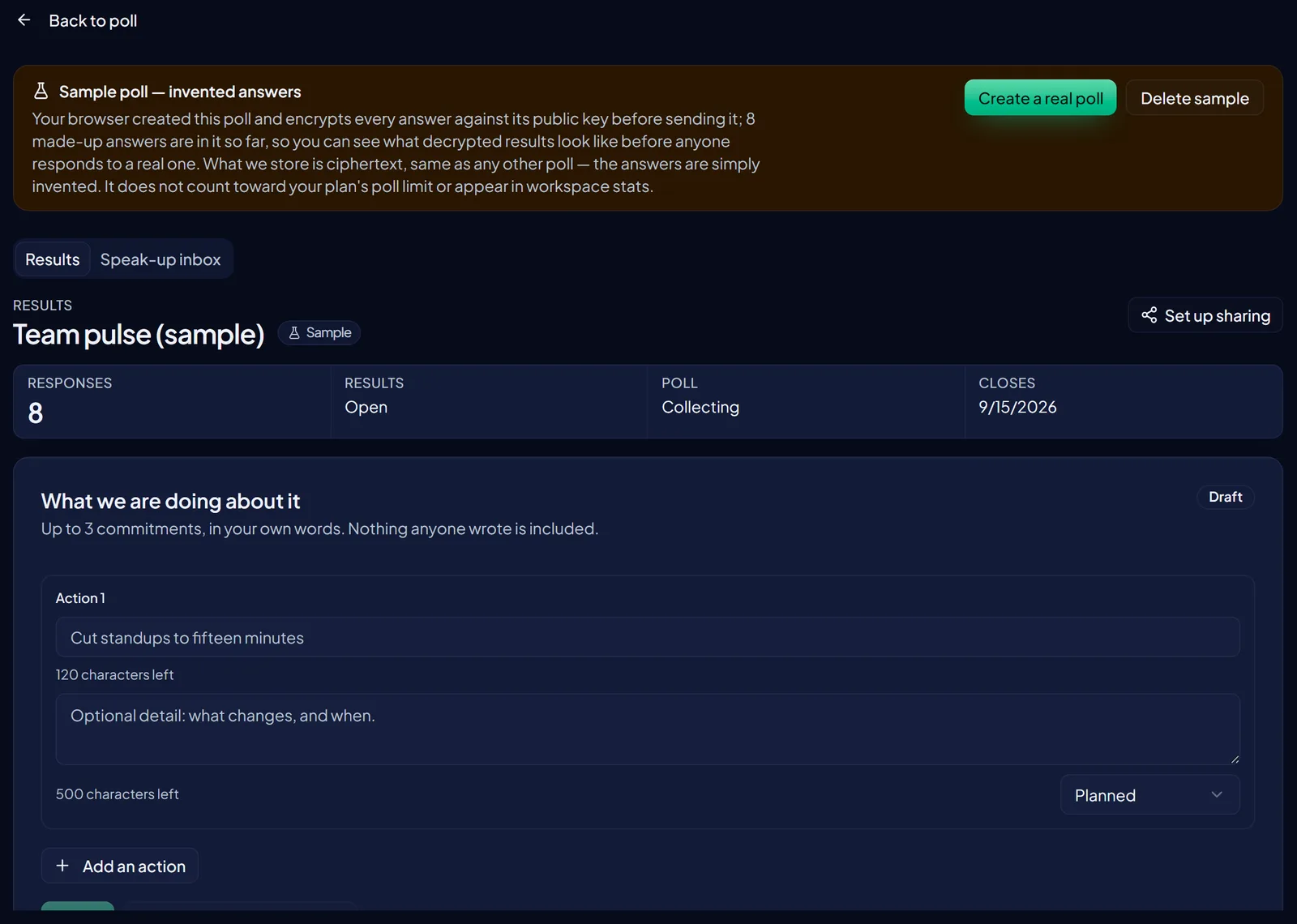
Results unlock only after your workspace meets the minimum response threshold. In the admin poll detail view, product copy states: Results unlock after 3+ responses. Until then the UI shows a locked state designed not to leak an exact early count that could help identify early responders.
Prerequisites
- You have a published poll that has collected responses (see Sharing your poll).
- You can open the poll in the admin app and view its detail page.
- If you plan to filter by demographics, read Demographic cohorts and thresholds first.
Organizers see aggregates only: counts and percentages per option. There are no per-person timelines, submission-order views, or response timestamps for admins.
- Open the pollFrom Polls, open the poll you want to review.
- Check unlock statusIf responses are still below the threshold, you will see the locked state. Encourage participation or extend the window rather than trying to infer early counts.
- Wait for unlockOnce 3+ responses are in (per in-product threshold copy), open results again. Charts and option percentages become available.
- Read aggregatesReview counts and percentages per question and option. Use these for trends and decisions, not for identifying individuals.
- Optional: apply demographic or roster filtersIf you configured demographics at authoring time, or sent the poll to a contact list with roster attributes, filter carefully. Small cohorts can stay locked even when the overall poll is unlocked. Details: Demographic cohorts and thresholds and Roster attributes and cuts.
- Optional: publish to the public results linkIf you enabled public results at distribution time, the link shows nothing until you publish. See below.
Publishing results and the cut catalog
The public results link doesn't show a live tally. It shows a summary you chose to publish, with the date on it. The Publish results control sits on the results tab once results are open and public results are on. Your browser builds the aggregate from the responses it has decrypted, signs it with your workspace key, and stores that one document. Readers see "As of " and a sentence saying whether the signature checks out. How it works, and what happens when a poll or wave closes, is in Publishing results as a signed document.
The published document also carries a fixed cut catalog: one cut per value of each roster attribute and each demographic question, plus a few standard pairs, every one of them at or above five responses. Groups below five are left out rather than marked. Your live filter on this page stays in your browser; the catalog is what leaves it. See Roster attributes and cuts.
If the poll expires first
If the poll closes or expires before the threshold is reached, aggregates remain unavailable. Plan fieldwork, reminders, and expiration together so you are likely to clear the unlock bar while the poll is open.
What you will not see
InviziPoll does not expose admin surfaces for reading individual ballots, browsing submission order, or inspecting per-response timestamps. That is intentional: honest feedback depends on people trusting that organizers work from group-level data.
Next: Setting up team folders or Inviting a team member.
FAQ
What is the unlock threshold? Poll-wide results unlock after at least 3+ responses. Always trust the in-product wording if copy changes.
Why are filtered breakdowns still locked? Demographic, roster, or combination filters need enough responses in that slice to protect anonymity. See Demographic cohorts and thresholds.
Can InviziPoll staff read individual answers? Response bodies are encrypted in the respondent browser. The service is not designed to decrypt those bodies for support or operations. See What is InviziPoll? and Security.
Where do collaborators share poll access? Use Setting up team folders and Inviting a team member.